A clear work verdict.
Connection and battery health come together in one status: ready to work, workable, or needs attention.
Your Mac. Wherever you land.
Good Wi-Fi? Enough battery? What’s changing around you? A little clarity for working and travelling, right in your Mac’s menu bar.
Free to download and use macOS 14 or later
New in v0.17.2: daylight, travel profiles & embassy essentials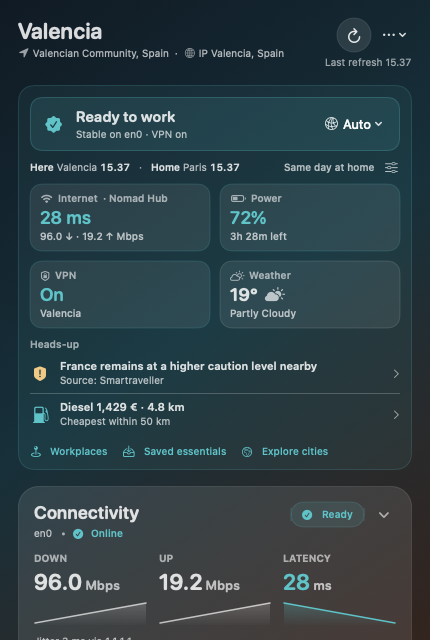
Less checking. More living.
The new Glance overview puts your next decision first. Open the details only when you need them.
Connection and battery health come together in one status: ready to work, workable, or needs attention.
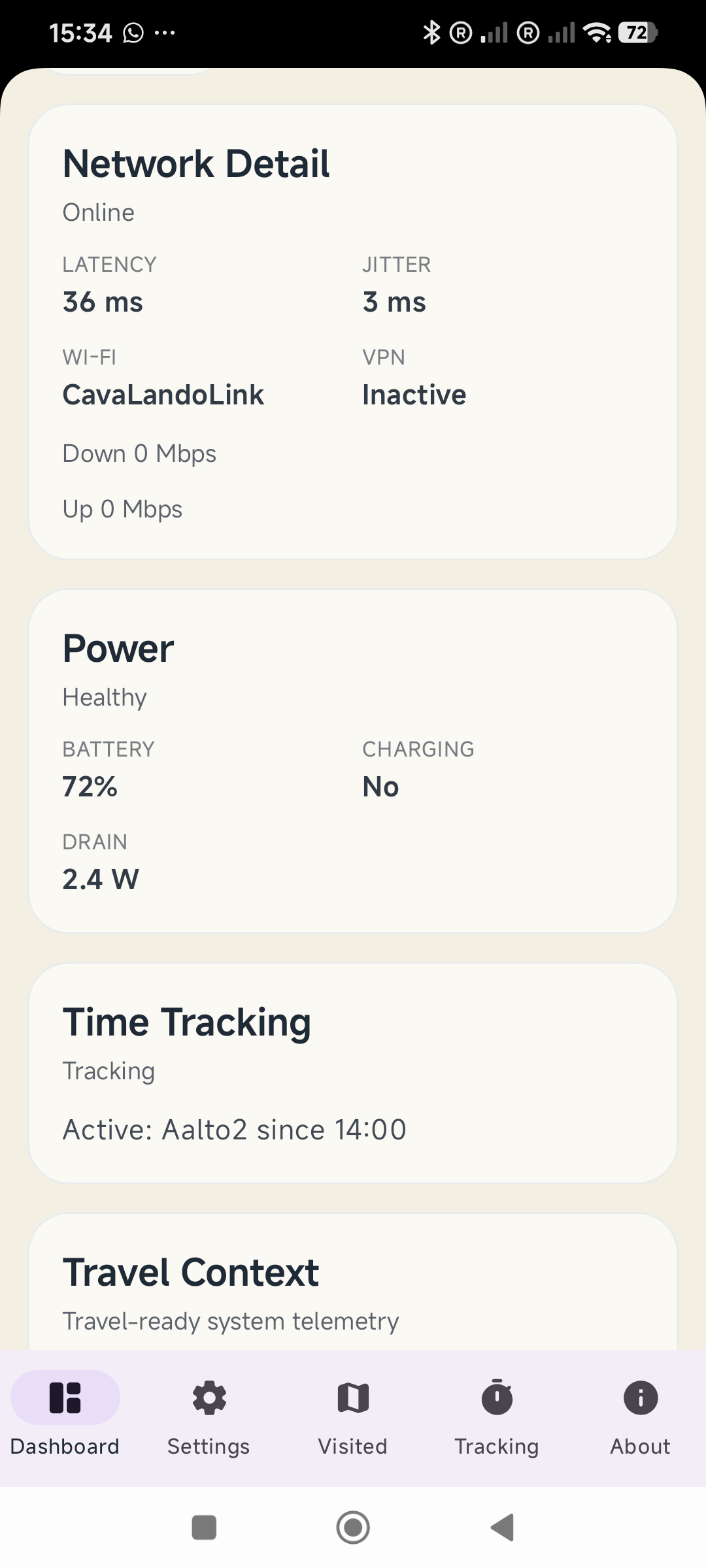
Internet, power, data allowance and weather. Tap any vital tile to jump straight to its detailed card.
Up to three ranked items for changing weather, travel alerts, data caps, public holidays or nearby fuel.
Two ways to be on the move
Choose a travel profile. The cards and heads-up items follow your priorities, while your custom layout stays yours.
Keep connection quality, work time and city context close. Compare your local and home clocks without doing the maths.
Bring weather, fuel, power and travel essentials forward. As sunset approaches, see how much daylight is left.
Work, without the extra admin
Capture awake work time, allocate it to your projects, and review the day, week or month. Your work log stays on your Mac.
See pending time, pause or stop tracking, and assign time from the compact Allocate menu.
Edit, split or reassign exact entries. Record interruptions and copy a monthly text report when you need it.
Opt into a local workplace diary, with visits, private notes and connection context. Confirm or edit suggested cafés and coworking spaces.
Time tracking counts while your Mac is awake and the app is running. Time tracking and workplace collection are optional.
A little preparation goes a long way
Bundled emergency numbers and embassy information stay available offline. Saved travel summaries show when they were last updated.
Local emergency numbers are bundled for 77 countries, including separate rural or highway police numbers where listed.
Emergency essentialsChoose your citizenship to see listed embassies and consulates, verified ministry contact lines and official travel-registration links.
Your EmbassyData Guard tracks a metered connection against your cap. Auto, Normal and Low Data modes help manage the app’s background requests.
Data Guard & offline modeCoverage varies. Embassy listings can be incomplete; check official sources for current details. Data Guard does not block traffic from other apps.
Your records. Your Mac.
Your project time, workplace diary, citizenship settings and visited-country history stay local to your Mac. Location-aware features have their own controls.
Save visited places, follow a yearly travel path, and review days spent in each country by month and year. Correct entries and export your record.
Weather, travel feeds and city exploration use external providers. Anonymous app analytics are enabled by default; some basic reach events are always sent.
Read the privacy notesCollapse cards, reorder them and adjust widths. The new Settings sidebar groups travel, work, data and privacy controls where you can find them.
Layout & settingsOn the horizon
The native Android app is in development, with the recent macOS improvements guiding its feature work. Public availability is coming; there’s no Android download yet.
macOS is available today. Android timing and final features may change.
Yes. It’s free to download and use, and open source under Apache-2.0. The app is provided as-is, without a warranty or service guarantee.
Nomad Dashboard requires macOS 14 or later. Download the app directly from GitHub Releases. Signed public releases support in-app updates.
Bundled emergency and embassy information and on-device daylight calculations work offline. Selected travel cards keep saved summaries with timestamps. Fresh forecasts, alerts, fuel prices and city data need a connection.
It measures traffic on the default-route network interface while monitoring, warns as you approach your cap, and pauses Nomad’s own large background downloads at the limit. It does not stop other apps or system updates.
Android is in development. Stays, visa-day calculations, arrival briefings, local rhythm, UV and air-quality heads-up items, and Siri, Shortcuts and widgets are ongoing macOS work, not features included in v0.17.2.
A native Mac app for the next desk, city or stretch of road.
Free to download and use. macOS 14 or later. Provided as-is.